
Picture to drawing and sketch
Turn a photo into a pencil sketch, a line drawing or one of six other hand-drawn styles. Upload a picture, pick a style and get the drawing in about 15 seconds.
- 8 drawing styles
- First drawing free
- Letter and A4 PDF
Your photo is deleted as soon as your page is ready.
- Pencil to anime
- 8 styles
- Per drawing
- 1 credit
- PDF page sizes
- Letter, A4
- iPhone photos accepted
- HEIC ready
What is picture to drawing?
Picture to drawing means taking a photo and redrawing it as if an artist had made it by hand: a pencil sketch with soft shading, a pen drawing with hatching, a loose watercolor. The people, pets and places in the photo stay recognizable, and the pose and framing stay close to the original.
This tool uses an AI image model that has learned how each medium looks on paper. Instead of running a filter over the pixels, it redraws the picture in the chosen style, which is why the strokes look drawn rather than traced.
Why choose this picture to drawing tool
Eight real styles
From graphite pencil and charcoal to cartoon and anime, each style was tested on portraits, pets and interiors before it was added.
Your photos stay private
Uploads and drawings are stored privately and shown only to you. Nothing is posted to a public gallery.
Ready to print
Download the drawing as a PNG, or as a PDF placed on a Letter or A4 page with white margins for framing or gifting.
Try one free
Your first drawing needs no account, and a free account adds 3 more.
How to turn a picture into a drawing
Upload a picture
JPG, PNG, WebP or HEIC. A clear photo with one main subject works best.
Pick a drawing style
Choose one of the eight styles below. Each drawing uses 1 credit.
Create the drawing
Press Create drawing. Most drawings are ready in about 15 seconds.
Download
Save the PNG, or a PDF on Letter or A4 paper to print.
Eight drawing styles
Each style suits different photos and uses. All of them keep the subject and pose of your picture.
Pencil Sketch
Graphite strokes with soft shading and light cross-hatching. The classic choice for portraits and pets; it looks like a study from a sketchbook.
Line Drawing
Clean black outlines with a few interior lines and no shading. Best when you want a minimal look, a tracing guide or a page to color in.
Charcoal
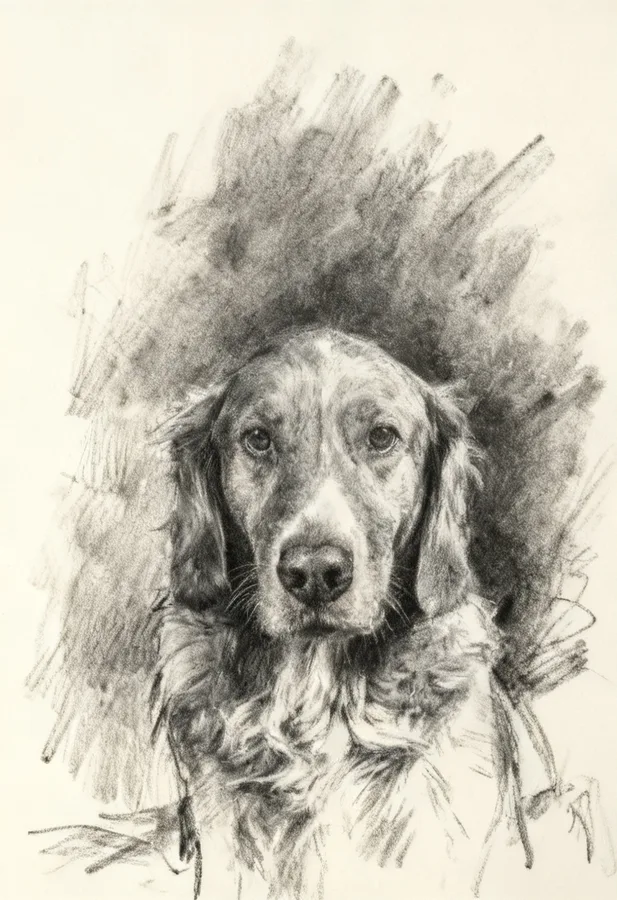
Deep blacks and smudged mid-tones on off-white paper. Dramatic for faces and animals with strong light.
Pen and Ink
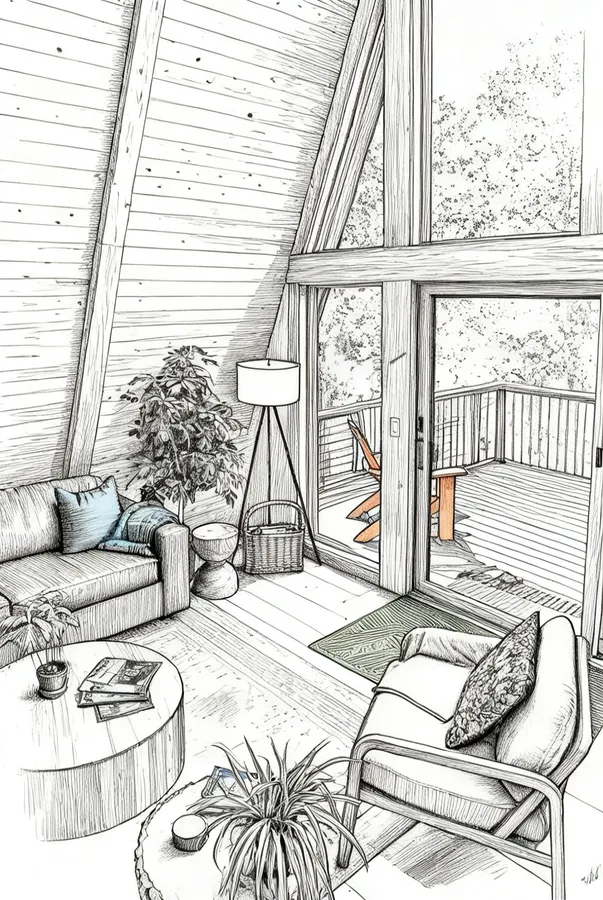
Fine-liner lines with hatching and stippling. Great for buildings, rooms and anything with structure.
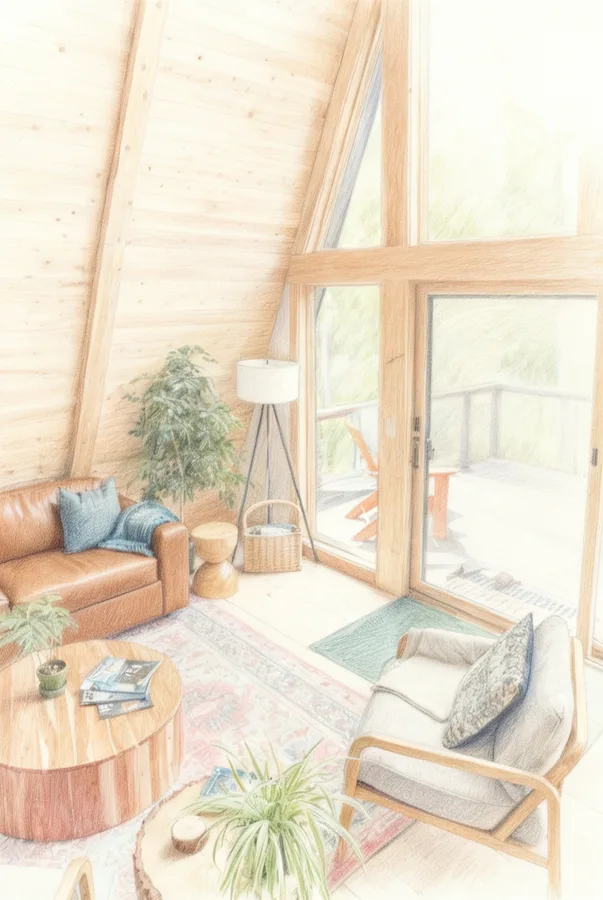
Colored Pencil
Natural colors with visible pencil texture. A soft, warm look for family photos and pets.
Watercolor
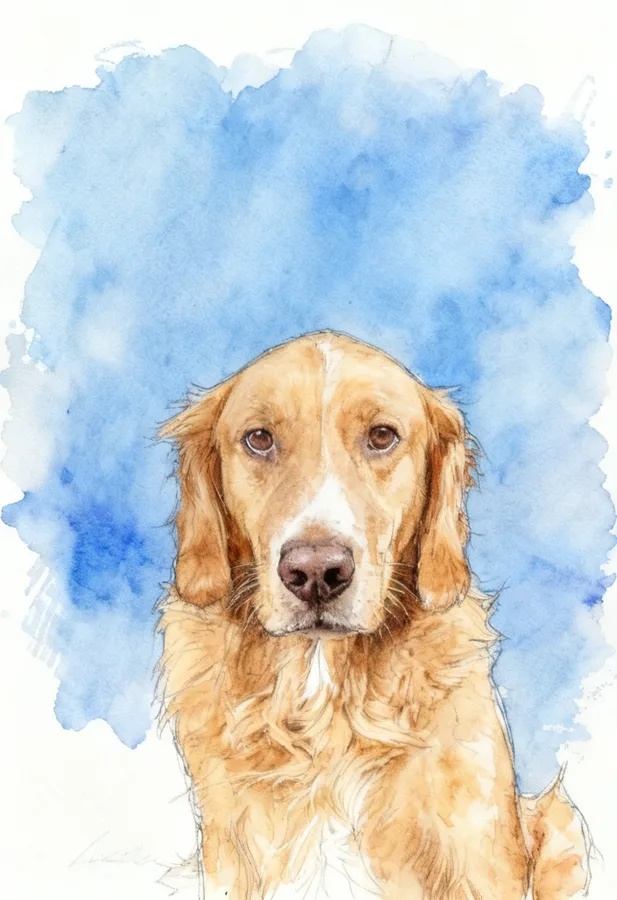
Light ink outlines with loose washes of color. Suits landscapes, travel photos and gifts.
Cartoon
Clean outlines and flat colors. Fun for kids, avatars and party invitations. Faces become simplified on purpose.
Anime
Hand-drawn anime line art with soft cel shading. Popular for portraits and profile pictures.
Picture to sketch
If you are looking for a picture to sketch converter, choose Pencil Sketch or Charcoal. Pencil Sketch gives a light, detailed study with gray tones; Charcoal gives a bolder, more expressive sketch with deep blacks. Both convert a photo to a sketch in one step, without manual tracing.
For a sketch you plan to trace or paint over, pick Line Drawing instead: it has no shading, so the lines are easy to follow. For outlines you want as an SVG for cutting or embroidery, use the photo to outline converter.
How to choose a drawing style
Think about where the drawing will end up. For a framed gift, Pencil Sketch, Charcoal and Watercolor feel the most like handmade art. For a card or invitation, Cartoon and Colored Pencil are bright and friendly. For a profile picture, Anime and Cartoon stand out at small sizes.
If you plan to keep working on the drawing yourself, by painting over it or tracing it onto canvas, start from Line Drawing or Pen and Ink: they have clear lines and little shading to fight against.
Not sure? Make two versions of the same photo in different styles. Each drawing uses 1 credit, and you keep every result.
Picture to drawing examples
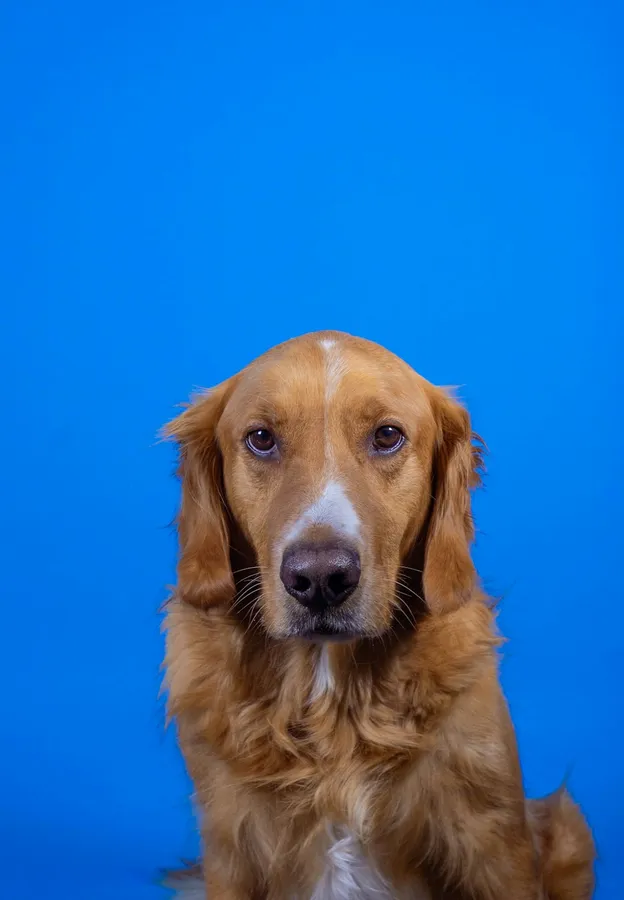
Unedited results from this tool. The caption lists the style used.

Where to use your drawings
Gifts and frames
A pencil or charcoal drawing of a pet, a couple or a family home makes a personal framed gift.
Cards and invitations
Cartoon and watercolor styles brighten up birthday cards, thank-you notes and party invites.
Profile pictures
Anime and cartoon versions of a portrait work as avatars for social and gaming profiles.
Art references
Use a line drawing or ink version as a starting point for your own painting or practice sketches.
Photos that make good drawings
Drawings look best when the subject fills most of the frame. A face, a pet or a single building reads clearly in pencil or ink; a crowd or a wide landscape with tiny details turns into a busy texture.
Light matters more than camera quality. Soft daylight from one side gives pencil and charcoal drawings natural shading. Harsh flash and very dark photos lose detail, so brighten them before uploading if you can.
Crop first. Cutting the photo down to the part you care about gives the model more room to draw details like eyes, fur and hands.
Picture to drawing questions
How do I turn a picture into a drawing?
Upload the picture, choose a style such as Pencil Sketch, press Create drawing, and download the PNG or a printable PDF.
Is the picture to drawing tool free?
Your first drawing is free without an account, and a free account adds 3 more. After that, each drawing uses 1 credit from a one-time pack.
Which style is best for a pencil sketch of a person?
Pencil Sketch for a light, detailed portrait, or Charcoal for a bolder look. Use a well-lit photo where the face is large in the frame.
Will the drawing look exactly like my photo?
The subject, pose and proportions stay close to the photo, but it is a redrawing, not a filter. Some styles may extend or reframe the picture slightly, and Cartoon and Anime simplify faces by design.
Can I get an SVG of my drawing?
Drawings with shading and color are downloaded as PNG or PDF. For a vector SVG, use the Line Drawing look in the photo to outline converter, which outputs pure black outlines.
Can I turn a drawing into a coloring page?
Yes. The photo to coloring page tool makes black-and-white pages with outlines that are white inside, ready for crayons, and the coloring book maker combines many photos into one book.
Which drawing styles are available?
Eight: Pencil Sketch, Line Drawing, Charcoal, Pen and Ink, Colored Pencil, Watercolor, Cartoon and Anime. Each drawing uses 1 credit, whichever style you pick.
Can I try several styles on the same picture?
Yes. Pick another style and create again. Each new drawing uses 1 credit, so you can compare a pencil sketch, a watercolor and a cartoon of the same photo.
Is there a watermark on the drawing?
No. Drawings download as PNG or a printable PDF without a watermark, including your free drawing.
Are my pictures private?
Your picture is deleted from our storage as soon as the drawing is finished or the attempt fails. Finished drawings are stored privately, shown only to you, never published in a public gallery and never used by us to train AI models.
Turn your favorite picture into a drawing
Pick a style, upload a photo and see it drawn in about 15 seconds. The first one is free.
Upload a picture